
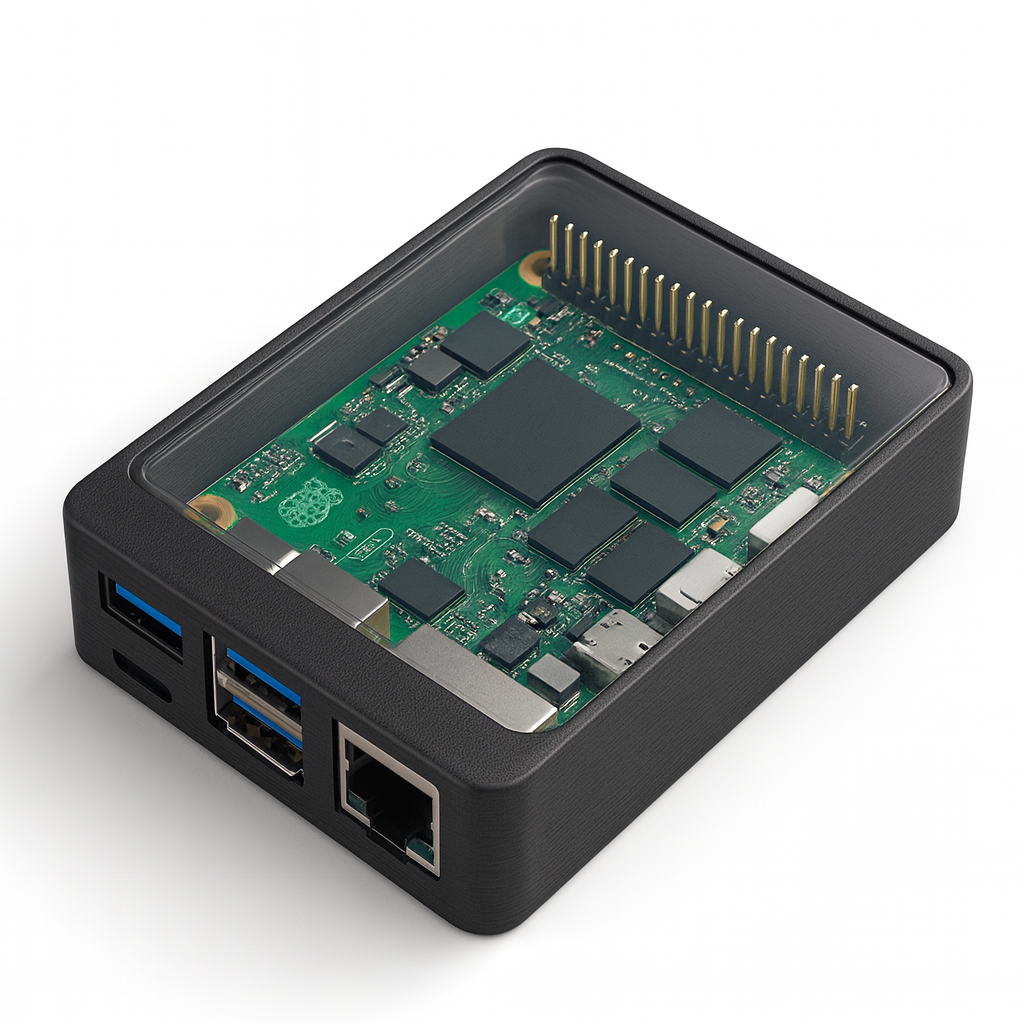
Parametric Raspberry Pi 5 Case – OpenSCAD Source File
Custom-fit 3D-printable enclosure with snap-fit lid, port cut-outs & easy air-flow
$9.99$4.99
Design once, print forever. This downloadable OpenSCAD script creates a sleek, precise case for the Raspberry Pi 5, leaving every port, header and LED perfectly exposed while adding the durability and style your projects deserve.
What you get
• raspberry_pi5_case.scad – the fully editable, parametric source file
• One-page quick-start PDF with print and assembly tips
Highlights
• Snap-fit closure: pop the lid on and off—no screws required
• Accurate port openings for USB-A, USB-C (power), dual micro-HDMI, Ethernet and micro-SD
• Easy customization: adjust wall thickness, vent pattern, or standoff height with a few numbers at the top of the file
• Print-ready geometry: chamfers and built-in clearances eliminate the need for supports on most FDM printers
• Future-proof: reuse and remix the script for logos, extra vents, camera cables and more
How to use
Open & tweak – Install the free OpenSCAD app, load the .scad file, and edit the clearly labelled parameters if you need different walls, vents or fan mounts.
Export STLs – Set render_base to true and render_lid to false, press F6 to render, then export the base STL. Flip the toggles and repeat for the lid.
Slice & print – Import each STL into Cura, PrusaSlicer or Bambu Studio. A good starting profile is 0.2 mm layer height, 15 % infill, and two or more perimeters in PLA, PETG or ABS. Support-free printing by design.
Assemble – Place the Pi 5 on the built-in standoffs. Optional: secure with four M2.5 × 6 mm screws. Snap the lid in place—and enjoy a professional-looking, well-ventilated Pi 5 case.